
Quick Verdict
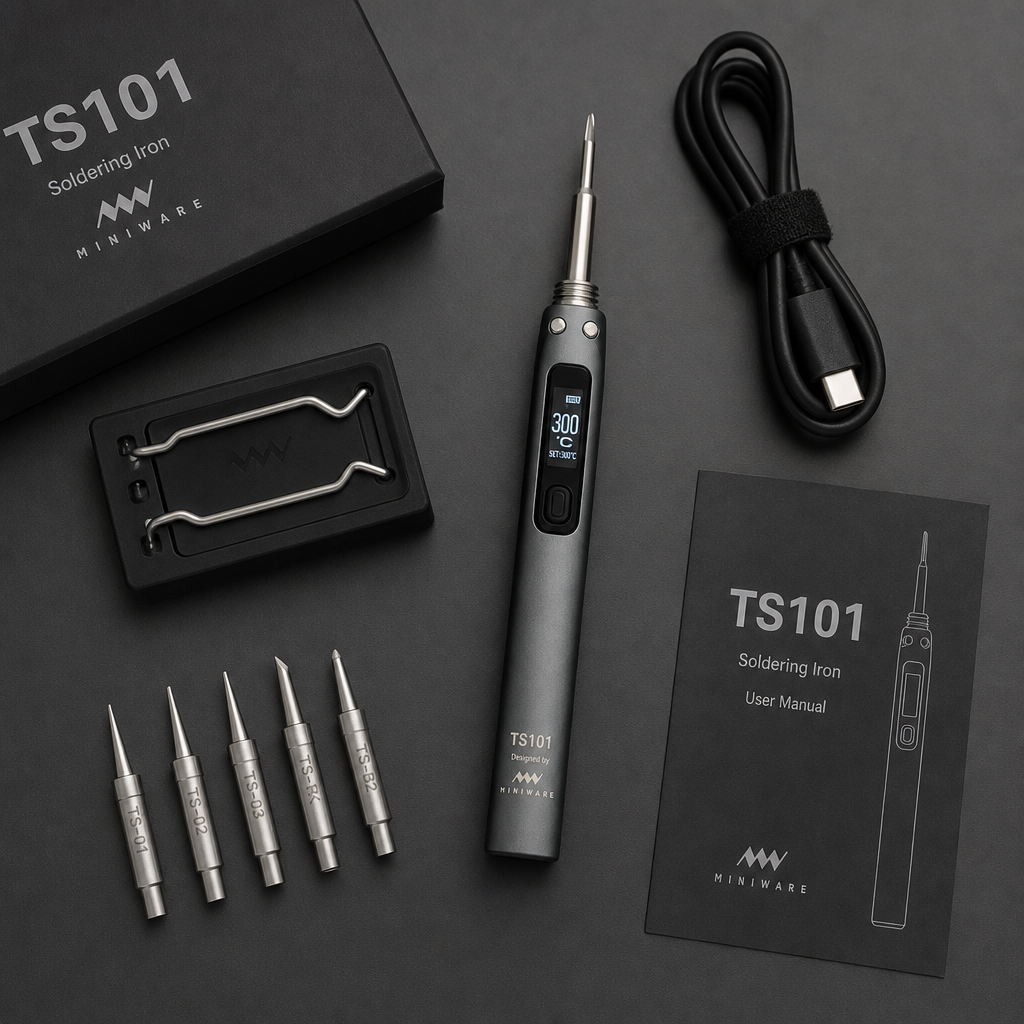
The TS101 soldering iron is Miniware’s successor to the popular TS100, adding USB-C PD to the DC barrel input, a 128×32 OLED, and support for the open-source IronOS firmware. If you want a portable iron that can pull up to 65W from a DC supply, or up to 90W over USB-C PD 3.1, it is an easy recommendation. The trade-offs are that no power supply is included and it usually costs more than the Pinecil V2.
Check TS101 soldering iron price on Amazon
Comparing irons? See our Pinecil V2 vs TS101 comparison.
As an Amazon Associate I earn from qualifying purchases. This review is based on the manufacturer’s specifications and published retailer listings.
Table of Contents
TS101 Soldering Iron Specifications
| Feature | Details |
| Maximum temperature | 400°C |
| DC barrel input | 9–24V, up to 65W |
| USB-C PD input | PD 3.0 up to 45W; up to 90W with PD 3.1 (28V) after a firmware update |
| Heat-up time | About 10 seconds with a strong power supply |
| Display | 128×32 OLED |
| Firmware | IronOS (open source) |
| Tips | TS100-style tips; ships with a TS-B2 tip |
| Weight | About 33 g |
| Power supply included | No |
Pros and Cons
Pros
- USB-C PD support plus a DC barrel input, fixing the TS100’s DC-only limitation
- Up to 65W from DC and up to 90W over PD 3.1
- Larger 128×32 OLED that shows more heating data
- Open-source IronOS firmware
- Compatible with the wide range of TS100-style tips
Cons
- No power supply or cable included
- Typically costs more than the Pinecil V2
- The 90W mode needs a PD 3.1 supply, a rated cable, and a firmware update
- Not a replacement for a bench station on heavy, all-day work
Performance and Real-World Use
Power and heat-up
Retailer listings say the TS101 reaches working temperature in around 10 seconds when fed a strong supply. A 24V DC source gives the most power from the barrel jack, while a USB-C PD charger is the convenient option when you want to power it from a laptop charger or power bank. Because it is sold without a power supply, budget for one.
Display and firmware
The 128×32 OLED gives you room to show temperature, supply voltage, and power draw at the same time. The iron runs IronOS, so sleep timers, boost mode, and temperature presets are all adjustable.
What it is good at
A portable iron like this suits electronics repair, controller and console mods, and general hobby soldering. Pair it with a multimeter such as the one in our Klein Tools 80196 kit review and you have a compact repair setup. For heavy thermal mass, such as thick wiring or large ground planes, a bench station is still the better tool.
Who Should Buy the TS101 Soldering Iron?
A great fit if you…
- are upgrading from a TS100 and want USB-C PD
- have a DC supply or laptop charger you want to put to use
- want the larger display and a route to 90W over USB-C PD 3.1
Look elsewhere if you…
- are on a tight budget (the Pinecil V2 is usually cheaper)
- want a full bench station with a stand built in
- do not want to buy a separate power supply
Alternatives to Consider
- Pinecil V2: a lower-priced USB-C PD and DC iron that also uses IronOS. Read our Pinecil V2 review or the side-by-side comparison.
- Miniware TS100: the older DC-only model whose tips the TS101 still uses.
- Hakko FX-888D: a full-size bench station for heavier work at one desk.
Browse more tools in our gear review hub.
Frequently Asked Questions
What is the maximum temperature of the TS101 soldering iron?
400°C.
What power does it need?
A 9–24V DC supply (up to 65W) or a USB-C PD charger. Using it at 90W requires a PD 3.1 28V supply, a cable rated for it, and a firmware update.
Does it come with a power adapter?
No. Plan on buying or borrowing a compatible DC or USB-C PD supply.
Can I use TS100 tips?
Yes. It uses TS100-style tips, so there is a wide selection of replacements.
Final Verdict on the TS101 Soldering Iron
The TS101 fixes the biggest complaint about the TS100 by adding USB-C PD, and it adds a larger display and IronOS on top. If you want the extra power headroom or already own TS100 tips, it is worth the premium over the Pinecil V2. If budget is your top concern, start with the Pinecil instead.